Restaurant chains
Online ordering for restaurant chains, with a straight answer on multi-location
Commission compounds. A rate that is tolerable on one site becomes the largest line on the group P&L once it is multiplied by twelve. Tuckly's online ordering system lets each of your locations run its own branded ordering site today, with its own hours, delivery area and POS status. Central management of shared menus and group reporting is something to talk to us about before you plan around it, and this page says exactly where that line sits.
- A branded ordering site per location, each with local hours and delivery areas
- No platform commission on direct orders at any site
- POS integration status checked per location, not assumed
- A plain statement of what central management covers today
Popular right now
-

Butter chicken
₹320
-

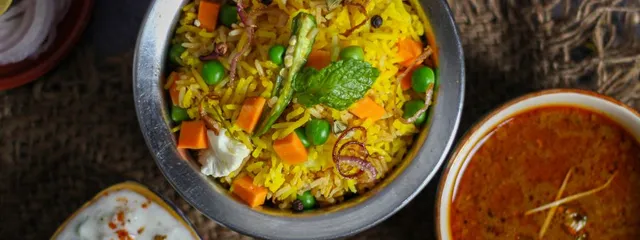
Hyderabadi biryani
₹340

Illustrative view.
-
Per-location setup that reflects the street it is on
The Andheri site closes at midnight and delivers across two suburbs. The Koramangala site closes at 11 and only does pickup. Each site's page says what is true for that site.
-
One brand, built the same way at every site
Same name, same colours, same category structure and item naming. Consistency is a discipline in how you build each menu, not a feature that enforces it.
-
Local hours, local delivery areas, local riders
Delivery areas and charges are set per site, so the city-centre store does not inherit the suburban one's radius.
-
Franchisee-friendly in practice
Each location runs its own order screen and its own fulfilment. Who pays for what is a commercial conversation, not something the software decides for you.
Group needs against what Tuckly does today
Most chain requirements fall into one of three columns. Read this before a vendor comparison so you are comparing on the right things.
| Need | Status today | What to do |
|---|---|---|
| Branded ordering site for each location | Available | Set up each site with its own menu, hours and areas |
| Local hours, delivery areas and charges | Available per site | Configure per location; a franchisee can own their own |
| Order screen and QR ordering at each site | Available per site | Each site runs its own screen; staff moving between sites see the same thing |
| Shared menu edited once for every site | Not available | Build each menu to the same template; talk to us about central editing |
| Location picker on one domain | Not available | Link each location's page from your main site and from its Google Business Profile |
| Group-level order view and reporting | Not available | Use each site's order record and your POS; discuss group reporting with us |
| POS integration at every site | Depends on the POS | Check the integrations directory for the status of your system |
| Commission on direct orders | None at any site | See the pricing page for how subscriptions work across locations |
Worked example
What 22% looks like across nine sites
Suppose each of nine locations does 600 marketplace orders a month at an average of ₹450, and the blended commission is 22%. Per site that is ₹270,000 of marketplace revenue and ₹59,400 of commission. Across the group it is ₹534,600 a month, or roughly ₹6.4 million a year, paid as a percentage of orders that include every regular who would have ordered anyway.
If a third of those orders moved to the locations' own pages, the commission on them disappears: ₹178,200 a month. The gateway fee on that moved revenue, at 2%, is ₹14,580. The group keeps about ₹163,600 a month more, before any subscription cost.
A third is not a prediction. It is a round number chosen to show the shape of the arithmetic. The actual share depends on how many of each site's customers are repeat customers and how consistently every site puts the link in front of them.
Figures are illustrative and chosen to show the arithmetic, not to predict your results.
Rolling out direct ordering across a group
Chains that do this well treat it as an operations rollout, not a software purchase. The sequence below is the one that tends to survive contact with twelve store managers.
- 1
Pilot with one site and a manager who wants it
Pick the location with the most regulars and a manager who will actually put the QR on the tables. Run it for a month. Learn what the order screen needs at the pass and how the lead time should be set.
- 2
Write down the menu template
Category names, item naming, how variants and add-ons are structured, photo style. Every other site builds to that document in the menu builder, so a customer who orders at two sites sees the same shape.
- 3
Configure each site's local settings
Hours, delivery areas, charges, pickup lead times. These should differ between sites; that is the point of per-site setup. Resist copying the pilot's radius to a site in a different kind of neighbourhood.
- 4
Decide fulfilment per site
Some sites have riders on the payroll. Some are in cities Porter serves and can request riders per order. Some should start pickup only. The delivery management page sets out what each option supports and what is still being validated.
- 5
Check POS status per location
If the group runs one POS, its status in the integrations directory applies everywhere. If franchisees run different systems, each one needs its own answer. Do not assume orders will sync anywhere until the page for that POS says so.
- 6
Put every site's link on its Google Business Profile
Each location has its own listing, and the ordering link belongs on it. Then table cards, bag stickers and the main website's location list. The promotion guide covers the rest.
- 7
Review with us before scaling the central pieces
Once three or four sites are live, the group will know what it actually needs centrally. That is the right moment to talk to us about shared menus and group views, with real requirements rather than a wish list.
One order screen per site, run by the people on that site
Every location gets the same order screen: new orders alert, the team accepts and sets a preparation time, moves the order to ready, and hands it to a rider or a pickup customer. Because it is the same at every site, a shift manager who covers two locations does not learn two systems, and training material written for the pilot works everywhere. What you do not get today is a view across all sites from one login; each site's record lives with that site.
- Identical screen and statuses at every location
- Customer contact details on the order at the site that served them
- Delivery, pickup and QR orders in one list per site
- Preparation time set per order when a site is under pressure
Orders · Today
Accepting ordersNew 2
Delivery
Porter rider requested
₹640
Pickup
Ready by 13:15
₹230
Preparing 2
Dine-in · Table 6
Scanned QR 12:48
₹890
Delivery
Own rider · Ravi
₹420
On the way 1
Delivery
Picked up 12:40
₹1,120
The pages a group's operations team will want to read
-
Restaurant website builder
What a location's ordering site includes and how it sits alongside the group's main website.
-
Integrations
POS and delivery partners listed with a status, so the IT lead can check each site's system.
-
Direct online ordering
The economics of a direct channel next to marketplaces, which matter more at group scale.
Planning direct ordering for a group
A multi-site group buying ordering software usually asks first about central control and second about commission. The order should probably be reversed. Commission is the number that is costing the group money every day at every site; central control is a convenience that matters once the sites are live. Here is how to plan it so the convenience question does not block the money question.
The pilot decides everything
Pick one site to run direct ordering for a month before anyone else is involved. Choose it for its regulars, not its revenue: the location where the same faces come in every week is where a direct link moves orders fastest. The pilot teaches you the pickup lead time the kitchen can hold, where the tablet needs to sit, what the table QR cards should say, and how the delivery radius should be drawn for that kind of neighbourhood. None of that transfers from a vendor demo. All of it transfers to the next eleven sites.
Naming discipline replaces a shared menu
Without a central menu editor, consistency comes from a document. Write the category list, item names, variant conventions (“Regular / Large”, not “Reg / Lg” at one site and “Medium / Big” at another), add-on groups and photo guidelines, and have every site build to it. Then have one person check each new site’s menu against the document before it goes live. It is an hour’s work per site and it is the difference between a chain and twelve shops with the same sign. When a central editor is something we can offer you, the sites that were built to a template are the ones that migrate cleanly.
Local settings are supposed to differ
The temptation in a group is to standardise everything. Hours, delivery areas and charges should not be standardised. A city-centre site with office trade should run pickup from 11:30 and a tiny delivery radius. A suburban site with family trade should run delivery until late across a wider area with a rider on the payroll. Per-site configuration is the right design for this; the mistake is treating it as a limitation and copying the pilot’s settings everywhere.
Franchisees, billing and who owns the order
Each location’s ordering site carries that location’s orders, and the customer details on those orders sit with the site that served them. For franchised groups that is usually the right answer: the franchisee’s regulars are the franchisee’s. The subscription structure for a group is agreed with us rather than set by the software; bring the ownership map to that conversation. Nothing on this site should be read as a price for a group, because the pricing page is where that lives.
Marketing is per location, and that is an advantage
Each site has its own Google Business Profile, its own neighbourhood and its own regulars. The ordering link goes on each site’s profile, each site’s tables and each site’s bags. Group-level campaigns can point to the main website’s location list, which links out to each page. This is one of the few places where the absence of a single domain picker is almost helpful: the link a customer finds is already the link for their site.
Measuring without a group dashboard
There is no group reporting in Tuckly today. What each site has is a complete order record, and what the group has is its POS. A weekly count of direct orders per site, taken from each order screen and put into the spreadsheet the operations team already uses, is enough to see which sites are moving regulars across and which are not. The site that is not moving is almost always the site without the QR on the tables, which is an operations fix rather than a software one. The commission calculator is worth running per site with that site’s real marketplace volume, because the sites with the highest commission bills are the ones to work on first.
Questions restaurant groups ask
Can we manage every location's menu from one login?
Not today. Each location's menu is edited on its own. Building every site to the same written template keeps them consistent, and most groups find a weekly check is enough. Central editing is on the list of things to discuss with us if it is a requirement.
Can customers choose a location on one website?
Not as a location picker on one domain today. Each location has its own ordering page, and your main website links to each. Google Business Profile sends people to the right location's link, which is where most location-specific searches come from anyway.
How does it work with franchisees?
Each location runs its own ordering site and order screen, so a franchisee can operate theirs independently. The commercial side, including who holds the subscription for which sites, is agreed with us rather than fixed by the software. The pricing page explains how subscriptions are structured.
Does POS integration cover all our sites?
It depends on the POS and its status in the integrations directory. An integration that is available applies to any site running that system. One that is in development or needs a conversation is the same at every site. If different franchisees run different systems, each needs its own check.
What reporting do we get across the group?
Group-level reporting is not available today. Each site has its full order record on its order screen, and your POS remains the system of record for sales. If a consolidated view is a requirement, tell us what you need to see and we will be clear about where it stands.
Start with the site that has the most regulars
Run one location direct, learn what the group needs, and bring real requirements to the conversation about scaling it.
Gateway fees, delivery and taxes are separate. Pricing
More business types
Last reviewed 29 October 2026.