Menu builder
A menu builder your kitchen can change on a Tuesday afternoon
Menus are not set once. The menu builder is made for the editing that really happens: a new special, a size that sells out, a breakfast section that should disappear at eleven. Variants, add-ons, photos and schedules, all edited by you and live across the online ordering system in minutes.
- Sizes and add-ons priced individually
- Availability by time of day and day of week
- Sold out in one tap, from a phone
- Photos and descriptions per item
Menu · Mains
Last published 11:20Margherita pizza
San Marzano tomato, fior di latte, basil
Sizes
Add-ons
Illustrative view.
What you set up is what the customer orders from
There is one menu. It feeds the ordering page for delivery and pickup, the table QR menu for dine-in, and the menu on your website. Change the price of a masala dosa once and every channel shows the new price, which is the only way two customers at the same table never see two numbers.
- One edit, every channel: website, ordering page and QR menu
- Keep the online menu shorter than the dining-room one, so a dessert that only works at the table is not offered for delivery
- Prices build up correctly: a large with two add-ons totals what the customer expects at checkout
- The order screen shows the item exactly as configured
Kabir Street Kitchen
North Indian · Indiranagar
Deliver to · 12 MG Road, Indiranagar
Chef's specials
View all Mains
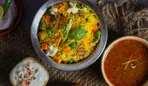
Mains Butter chicken
₹320
 Thalis
 Biryani thali
₹340
- Add
Butter chicken thali
With rice, two rotis and raita
₹320
- Add
Paneer tikka wrap
Mint chutney, pickled onion
₹190
- Add
Masala chai
Served hot, 250 ml
₹40
What the menu builder handles
These are the parts of a restaurant menu that ordering software usually gets wrong, and how each is handled.
-
Categories
Starters, mains, breads, drinks, or breakfast, lunch, dinner. Order them the way the kitchen thinks, and reorder when the menu changes seasonally.
-
Variants
Sizes, bases and portions as options of one item: a 9, 12 or 16 inch pizza, a half or full biryani, a regular or large coffee, each with its own price.
-
Add-ons
Extras priced on top: extra cheese, an extra shot, an extra roti, a chutney. Add-ons can be reused across items, so you do not enter 'extra cheese' eleven times.
-
Availability schedules
Show items only during set hours or on set days. Breakfast until 11, the weekend thali on Saturday and Sunday, a Diwali special for one week.
-
Sold-out toggle
When the kitchen runs out of lamb at 8:40pm, switch the item off from a phone. It disappears from the ordering page immediately and comes back when you switch it on.
-
Photos and descriptions
A photo, a description and dietary notes per item. Photos are optional; a good description with no photo beats a bad photo every time.
Setting up a menu that orders well
An afternoon's work for most single-location restaurants, less if the menu is short. Do it in this order and you will not have to redo it.
- 1
Start from the printed menu, then cut
Enter what you serve, then remove anything that travels badly, takes too long during a rush, or that you would rather not cook for a single delivery order. An online menu can be shorter than the dining-room one, and usually should be.
- 2
Group into categories the customer scans
Five to eight categories is comfortable on a phone. Put the category that sells most second or third, not first; the first slot tends to go to what people look for by name, like starters or breads.
- 3
Add variants and add-ons where they exist
If the thing has sizes, make them variants. If it has extras, make them add-ons. If it is a different dish, make it a separate item. The table below sets out how to decide.
- 4
Write descriptions for anything a stranger would not understand
One or two lines: what is in it, how big it is, how hot it is. Add the allergen note at the end. Skip descriptions for items that need none; nobody needs a paragraph about plain rice.
- 5
Set schedules and test on a phone
Breakfast items on a schedule, specials with an end date, and then order from the page yourself. Check that a large with extra toppings totals correctly, and that the sold-out toggle works from your phone before you need it during service.
Variant, add-on or separate item?
Most menu setup mistakes come down to this choice. Here is how to make it.
| Approach | Use it for | Example | Avoid it when |
|---|---|---|---|
| Variant | One dish, several sizes or bases, customer picks exactly one | Margherita: 9 inch 320, 12 inch 460, 16 inch 690 | The options change the dish materially (a chicken and a paneer version are two items, not variants) |
| Add-on | Optional extras priced on top, customer can pick several | Extra cheese +60, olives +40, jalapeños +30 | The extra is not optional (then it belongs in the description and the price) |
| Separate item | Different dish, different kitchen process, different price logic | Chicken biryani and mutton biryani | You would end up with 'Margherita 9 inch' and 'Margherita 12 inch' as two items, which doubles your editing forever |
| Combo as an item | A fixed set sold at one price, with limited choices | Lunch thali: dal, two sabzi, rice, roti, with add-on for a sweet | The combo has so many choices that it is really a category |
Reusing add-ons across items keeps the menu consistent: change the price of extra cheese once and it changes on every pizza.
Menu structure advice: the mistakes that cost orders
The menu builder handles the mechanics. The decisions below are the ones that decide whether the page sells. None of them need software; they need an hour with the menu and a critical eye.
Too many items
The dining-room menu exists partly to look generous. The online menu exists to be ordered from on a phone in under two minutes. A menu of ninety items forces scrolling, hides what sells, and means more things to keep in stock and keep available. Start with the forty that travel well and sell most. Add back by exception.
Categories that match the kitchen, not the customer
“Chef’s specialities” means nothing to someone choosing dinner. Name categories the way a customer would ask for things at the counter: starters, biryani, curries, breads, rice, desserts, drinks. Put the highest-margin category where the eye lands second, after the category people search by name.
Sizes hidden in the description
“Available in half and full” in the description, with one price, is the single most common cause of wrong orders. If sizes exist, they are variants with their own prices. The customer picks one, the price builds correctly, and the kitchen ticket says which.
Add-ons that are really required choices
If every curry needs a spice level, set it up as a variant of the dish at the same price (mild, medium, hot) rather than a note saying “tell us how spicy”. If a thali must come with a bread choice, the same applies. Optional add-ons are for things that cost extra.
Descriptions written for people who already know
A regular knows what gobi 65 is. A new customer does not and will not look it up. One line answers the question: crisp cauliflower florets in a spiced batter, medium-hot, serves one as a starter. It takes thirty seconds to write and it sells the dish for years.
Prices that do not match the receipt
Every price on the menu is the price at checkout. If a delivery charge applies, it is shown before payment, on its own line, not folded into item prices only on delivery orders. The moment a customer sees a different total than they expected is the moment they close the page.
Photos that hurt
A dark, blurry photo lowers the perceived value of the dish below what no photo would. If you have a good photo, use it; if not, leave the item without one and let the description do the work. When you do photograph, do the dishes you most want to sell first, in daylight, from slightly above.
Nothing scheduled, everything manual
If breakfast ends at 11 and someone has to remember to hide it every day, it will be visible at 11:40 on the day it matters. Schedules exist so the menu runs itself. Set them for breakfast, for weekend-only items, and for specials with an end date.
Light menu engineering
You do not need a spreadsheet to do the basics. Once a month, look at which items sold most and which sold least. Put the popular, high-margin items near the top of their category with a photo. Consider dropping the items that sold under a handful of times unless they matter to regulars. Raise the price of the item everyone orders anyway by a small amount before raising anything else. The guide to encouraging repeat orders covers how that interacts with the direct channel.
Questions about building an online menu
Can I have a different menu for delivery and for dine-in?
Keep one menu, so prices stay consistent across channels, and leave off anything that does not travel. Limiting specific items to one order type (a dine-in-only dessert, a delivery-only family pack) is something to ask us about before you rely on it.
How do I handle a daily special?
Create it as an item with a schedule for the days it runs, or just switch it on in the morning and off when it sells out. For a special that changes every day, one item called 'Today's special' with a description you edit each morning is simpler than a new item daily.
Can I import my menu from a spreadsheet or my POS?
Entering a typical menu by hand takes an afternoon. Whether a menu can be pulled from your POS depends on the integration; check the integrations directory for your system's status, and ask us if you have a large menu to move.
What photo size and format should I use?
A phone photo taken in daylight, landscape, on a plain plate or board. The builder handles resizing. Avoid stock images and dark kitchen shots; the dish that arrives should look like the one in the picture.
Do I need to show allergen information?
In the UK it is a legal duty to make allergen information available before purchase, and it is good practice everywhere. Put it at the end of the item description where the customer reads it while choosing.
Can prices differ by location?
One menu has one set of prices. If you run several locations with different pricing, read the restaurant chains page and talk to us about how that is handled before setting up.
Build the menu once, change it whenever you need
Enter your categories, sizes and add-ons, set the breakfast schedule, and try the sold-out toggle from your phone.
Gateway fees, delivery and taxes are separate. Pricing
Last reviewed 29 October 2026.