Online ordering system
An online ordering system for restaurants that runs on your own website
Tuckly is an online food ordering system for restaurants: a menu customers order from, a screen your team runs service from, and delivery options you choose per order. Orders placed on your site carry no platform commission.
- Delivery, pickup and dine-in from one menu
- Order screen with timing, notes and customer contact
- Porter riders where available, or your own team
- Menu changes go live in minutes, not tickets
Orders · Today
Accepting ordersNew 2
Delivery
Porter rider requested
₹640
Pickup
Ready by 13:15
₹230
Preparing 2
Dine-in · Table 6
Scanned QR 12:48
₹890
Delivery
Own rider · Ravi
₹420
On the way 1
Delivery
Picked up 12:40
₹1,120
Illustrative view.
-
A menu built for ordering, not just reading
Sizes, add-ons, combos and scheduled availability, so the Tuesday lunch menu stops showing at 3pm without anyone remembering to change it.
-
Checkout designed for a phone held in one hand
Address, time slot, payment and notes in a short flow. Most restaurant orders arrive from a phone, so that is the screen the whole thing is designed around.
-
One order screen for the whole shift
Delivery, pickup and table orders in the same list, each with a status your team moves forward as the kitchen works.
-
Fulfilment you decide per order
Request a Porter rider where the service runs, assign one of your own riders, or switch an order to pickup when the customer calls to say they will collect.
How the restaurant ordering system works, from menu to handover
This is the full loop for a direct order. The point is that every step stays inside tools you control, and the customer's details end up with you.
- 1
Set up your menu
Create categories and items, add photos and descriptions, then define variants (sizes, bases) and add-ons (extra cheese, extra shot). Set availability windows for items that only run at certain times, and switch things off mid-service when they sell out. The menu builder page covers the details.
- 2
Configure how you fulfil orders
Choose which order types you offer: delivery, pickup, dine-in, or any mix. Set delivery areas and charges, pickup lead times, and whether dine-in guests order through table QR codes. Decide whether delivery is handled by Porter, your own staff, or both.
- 3
Publish the ordering page
Your ordering site goes live under your restaurant's name. Use it as your main website or link it from the one you already have. Online payment runs through a supported payment gateway, with the gateway's own fees applied. There is no Tuckly commission on the order.
- 4
Work the orders
New orders show up on the order screen with an alert. Accept, set a preparation time, and move the order through preparing and ready. Customer contact details sit on the order for the rare case you need to call.
- 5
Hand it over
For delivery, request a rider or assign your own and update the status as it leaves. For pickup, mark it ready so the customer knows to come in. For dine-in, the kitchen ticket shows the table and the order goes to it as normal.
A menu you can change between lunch and dinner service
Menus change more than most ordering software expects. A dish runs out. A supplier substitutes a cut. The chef wants the specials up for the weekend only. The menu builder is built for that kind of day-to-day editing rather than a one-time setup.
- Variants and add-ons priced individually, so a large with extra toppings calculates correctly
- Availability by time of day and day of week
- Mark sold out from a phone during service
- Photos, descriptions and dietary notes per item
Menu · Mains
Last published 11:20Margherita pizza
San Marzano tomato, fior di latte, basil
Sizes
Add-ons
Checkout built for phones, because that is where orders come from
The ordering page keeps the customer's job short: pick items, choose delivery or pickup, enter an address or pick a time, pay. Returning customers see their saved details, which is a large part of why people reorder from a site they have used before.
- Delivery, pickup and dine-in selection at the top of the page
- Address and timing captured before payment, not after
- Order notes that reach the kitchen ticket
- No app download; works in the phone's browser
Kabir Street Kitchen
North Indian · Indiranagar
Deliver to · 12 MG Road, Indiranagar
Chef's specials
View all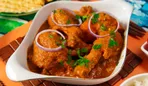 Mains
Mains Butter chicken
₹320
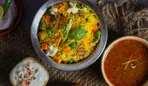 Thalis
 Biryani thali
₹340
- Add
Butter chicken thali
With rice, two rotis and raita
₹320
- Add
Paneer tikka wrap
Mint chutney, pickled onion
₹190
- Add
Masala chai
Served hot, 250 ml
₹40
The parts of the online ordering system, each on its own page
Every page below says what is supported today and what is not. We would rather you check before you commit.
-
Order management
Statuses, prep times, notes and customer contact for every order type on one screen.
-
QR code ordering for dine-in
Table codes that open your menu so guests order from their seat without an app.
-
Delivery management
Porter where available, your own riders, pickup, and a clear status for each.
-
Takeaway and pickup
Collection orders with lead times, so the counter is not fielding phone calls during the rush.
-
Restaurant website builder
A full site with ordering built in, or an ordering page linked from your existing site.
-
POS integrations
Connect your POS ordering system. Each POS listed with a plain status: available, in development, or talk to us first.
What zero commission covers, and what it does not
A direct order still has costs. They are just not a percentage taken by the ordering platform.
| Cost line | On a direct order through Tuckly | On a typical marketplace order |
|---|---|---|
| Platform commission | None | A percentage of the order value, set by the marketplace |
| Payment processing | Your gateway's published fee on online payments | Usually bundled into the marketplace's deductions |
| Delivery | Porter's trip fee where used, or your rider's cost; you decide what the customer pays | Included in the marketplace's commission tier or charged to the customer |
| Customer data | Stays with you on the order | Held by the marketplace |
| Software | Subscription per the pricing page | Usually none, paid for through commission |
Marketplace terms vary by country and contract. Check your own agreement; the comparison page on direct ordering vs delivery apps goes into more detail.
Choosing an online ordering system for restaurants: the questions worth asking
A lot of ordering software looks the same in a demo. The differences show up on a Friday night. Before you choose, it is worth working through a few practical questions, whether you end up with Tuckly or something else.
Who owns the customer?
If the order goes through a marketplace, the marketplace holds the customer’s name, number and history. If it goes through your own site, you do. That matters for remarketing, for handling complaints, and for the simple ability to tell a regular about a new dish. Ask any vendor whether you can export your customer list. If the answer is complicated, that is the answer.
What does an order really cost?
Commission is the obvious line, but the full cost of a channel includes payment processing, delivery, packaging, and the time your staff spend re-entering orders into the POS. Our online ordering cost calculator puts those side by side for the setups most restaurants consider.
How does delivery actually work?
“Delivery supported” can mean anything from a tick-box that lets the customer type an address to a fully managed rider fleet. Ask which third-party delivery services are integrated, in which cities, what happens when no rider is available, and whether you can use your own staff. Tuckly’s answer is on the delivery management page, including the parts that are still being validated.
Does it work with the POS ordering system you already have?
A POS integration can save a lot of retyping, but only if it actually supports the workflow you need: pushing orders in, keeping the menu in sync, or both. Our integrations directory lists every system with a status rather than a logo wall.
Can your team change the menu without help?
The ordering system that gets used is the one the kitchen can update on a phone when the fish does not arrive. Try that in any demo before signing.
Questions restaurant owners ask about online ordering systems
Do I need my own website already?
No. The ordering site can be your whole web presence, with your name, hours, location and menu. If you already have a site you like, keep it and link its order button to your Tuckly ordering page. See the restaurant website builder page.
How do customers pay?
Online, through a supported payment gateway connected to your account. The gateway charges its own processing fee on each payment; Tuckly does not add a commission. Which gateways are supported depends on your country, and the country pages list the considerations for each market.
What happens when an order comes in and nobody is watching the screen?
New orders trigger an alert on the order screen. Setting a realistic preparation time and keeping the screen visible in the kitchen or at the counter is part of setup, and we go through it during onboarding. Orders are not auto-accepted, so a customer is never promised food you have not seen.
Can I offer delivery without any riders of my own?
Where Porter operates, yes: you request a rider for the order. The Porter page states which parts of that workflow are live and which are still being validated. Outside Porter's coverage, you would need your own riders or offer pickup only.
Can I run this alongside Swiggy, Zomato, Uber Eats or DoorDash?
Yes. Most restaurants keep marketplaces for reach and use the direct site for regulars. Marketplace orders do not flow into Tuckly today; the integrations directory explains where that stands for each platform.
Is there a minimum order volume?
No. The system suits a single café as well as a multi-location group, because there is no per-order commission that makes small volumes uneconomic.
What is the difference between an online food ordering system and a food delivery app?
A food delivery app is a marketplace: it brings customers, takes the order in its own app and charges a commission. An online food ordering system like Tuckly runs on your own website, so the order, the payment and the customer's details come to you. Most restaurants run both; see direct ordering vs delivery apps.
Which is the best online ordering system for restaurants?
The one that handles your order types, your delivery setup and your POS without workarounds, at a cost you have checked line by line. The platform comparison lists the questions to ask, with Tuckly described in the same terms as every other vendor.
Put your menu on a site you own
Set up your menu, choose how you deliver, and start sending regulars to a link that carries your name.
Gateway fees, delivery and taxes are separate. Pricing
Last reviewed 29 October 2026.